


I spend a lot of time on LinkedIn. In part, I am on there to catch up on peers, colleagues and industry trends, but truth be told, I am primarily on there conducting investigations in the context of legal matters, where I am trying to track down some former company employees who can discuss corporate malfeasance, policies or insights into business practices. I am also finding some human intelligence for discreet source inquiries.
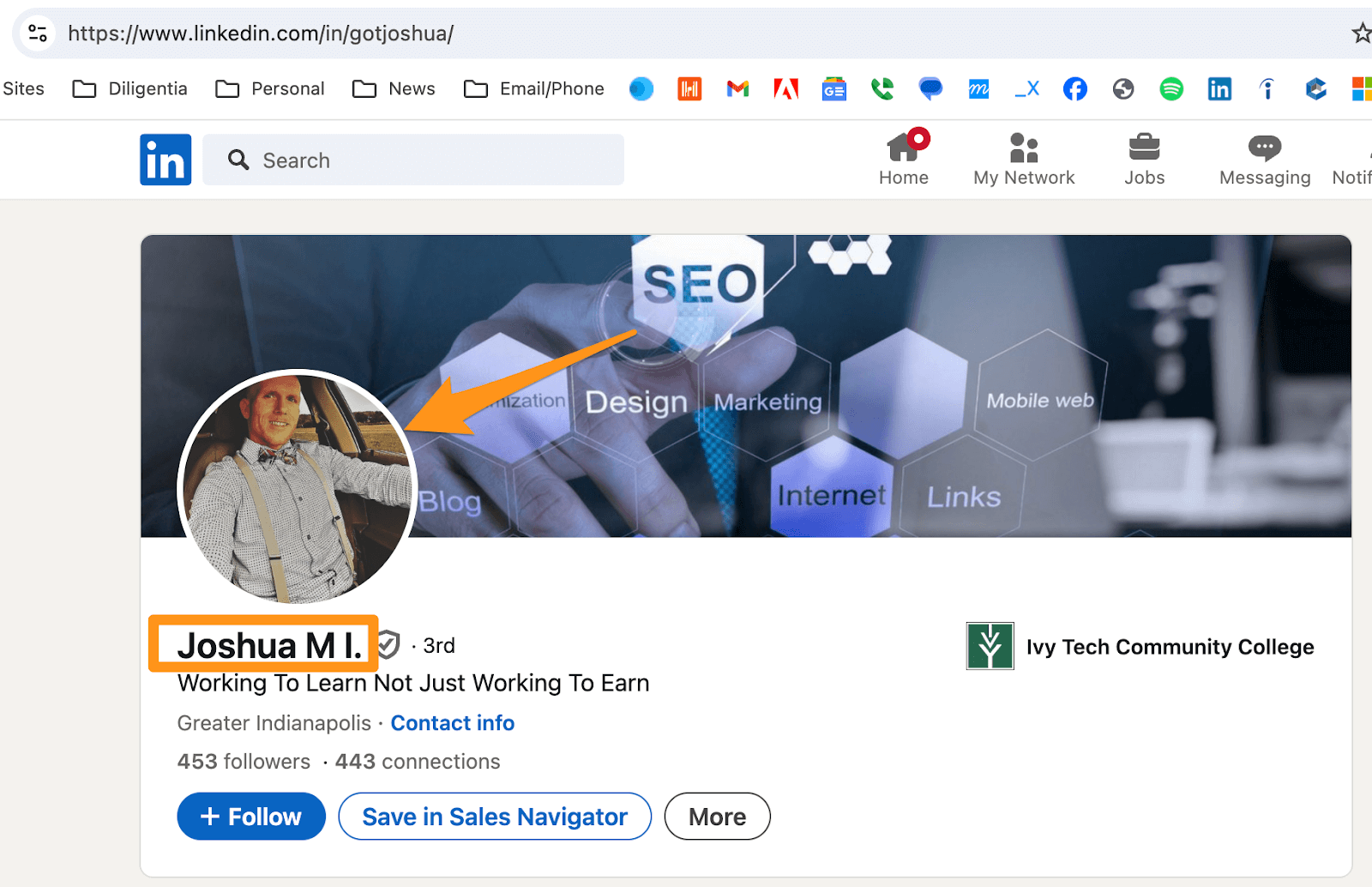
Every so often, you come across a LinkedIn profile that doesn’t contain the person’s full name—for example, “Joshua M.” LinkedIn users can choose to display only their first name and the first letter of their last name for anyone who isn’t a connection by going to settings and privacy, then visibility.
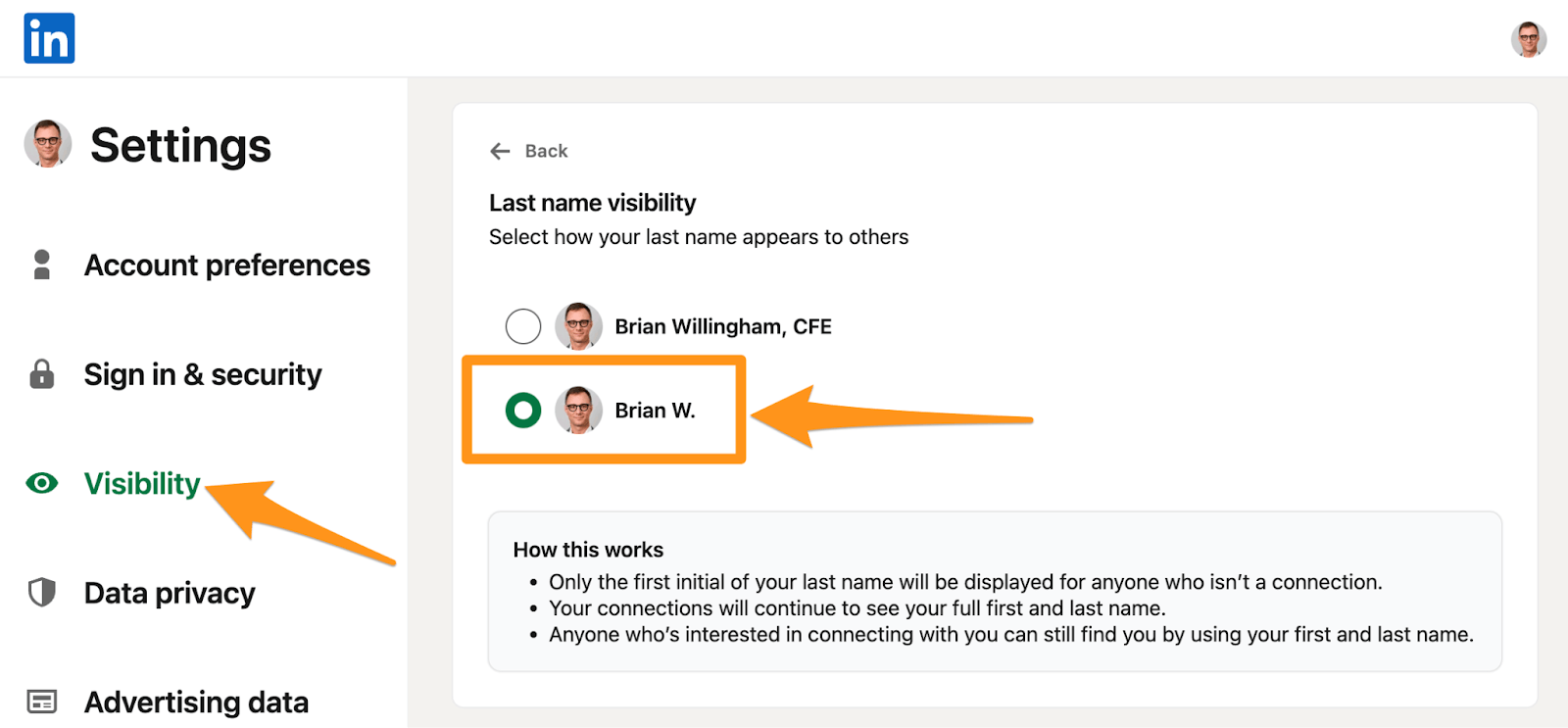
I get it.
Some people want to keep some semblance of privacy.
While some may see the lack of last names as a hindrance and move on, I see it as a fun little challenge.
The key is finding a pivot point—a point of inflection where you can combine multiple data points. For example, a middle name, date of birth or social media profile might find a data point to help identify who the person is when you pivot to another source. In my case, that might mean plugging the person’s middle name or date of birth into an investigative database to determine their full name.
There are dozens of ways to determine a person’s last name or entire identity, some of which require deep research, but below, I’ve outlined some of the most common.
I’ve included six examples of people named “Joshua M.” where no last name is revealed. Note that I’ve got nothing against anyone by the name Joshua. Or “Joshua M.”
I just thought it would be a fun exercise to find examples of people with the same name.
I have organized these from the most common way to the more uncommon ones.
Without further ado …
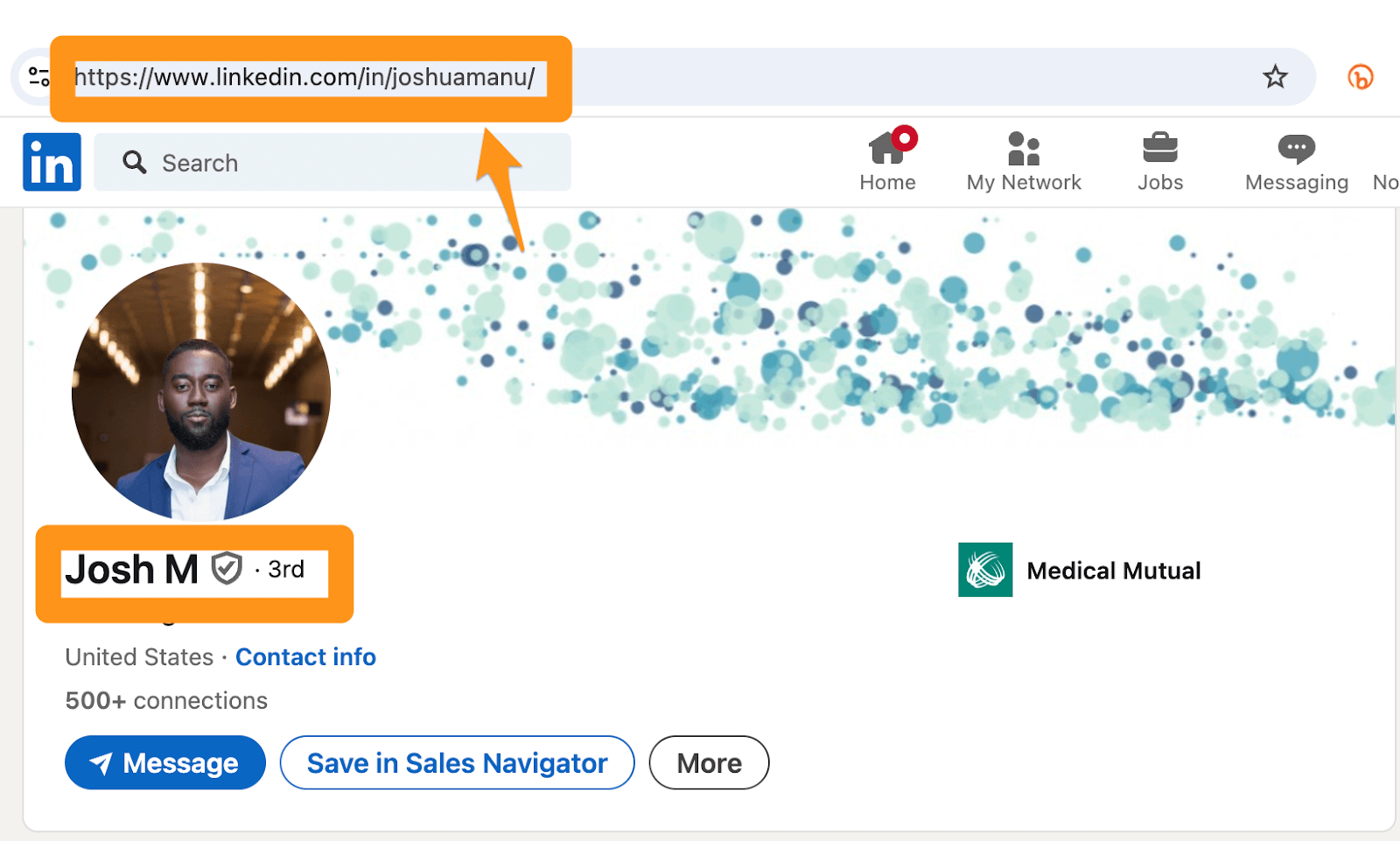
1 URL
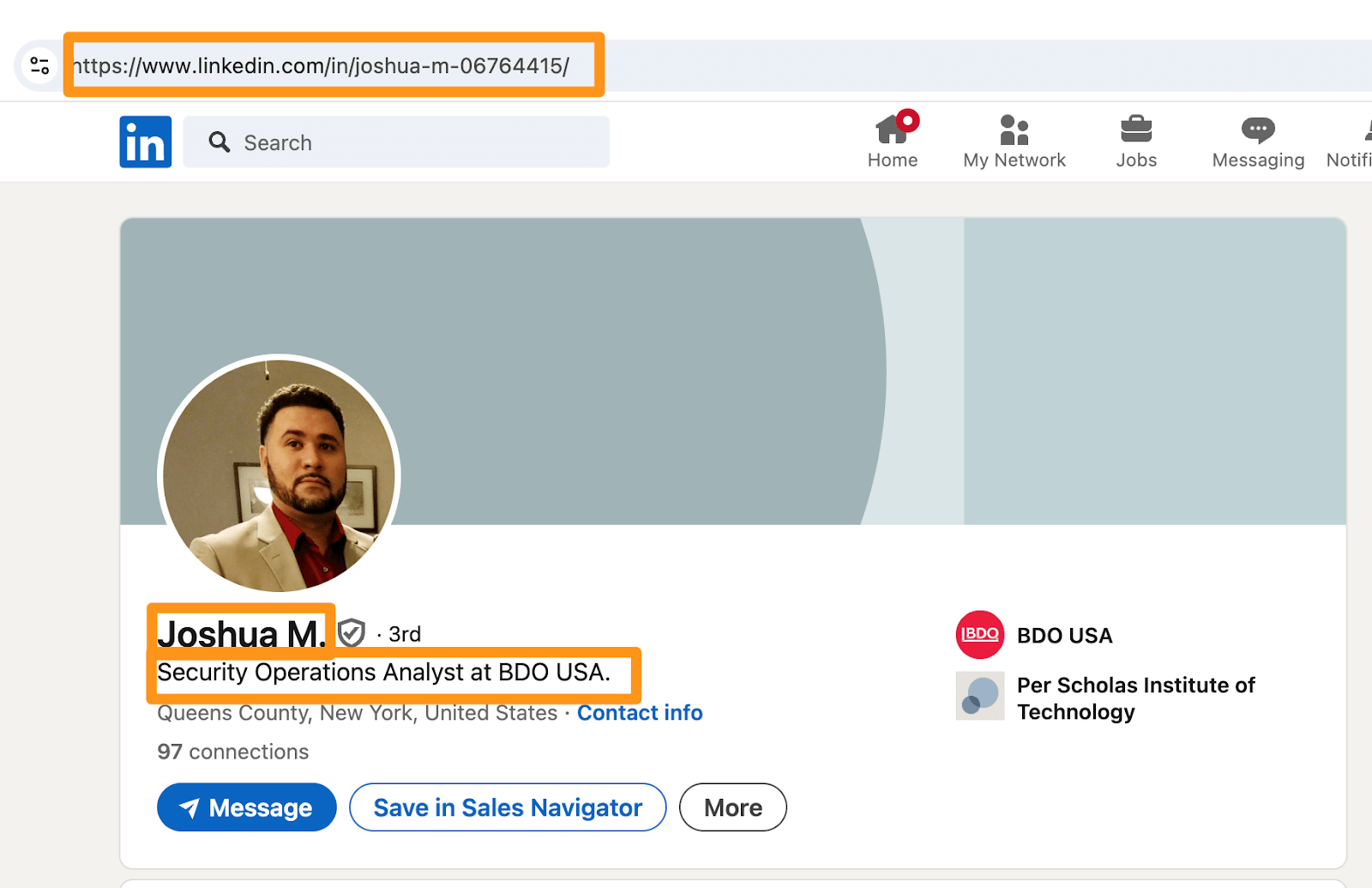
The URL is the easiest and most common way to determine a person’s last name. Quite often, when only the initial of the last name is listed, the URL has the entire last name. I suspect the URL was created long before the person decided to go private and forgot to change it. (Here’s how to change your public profile URL on LinkedIn.)
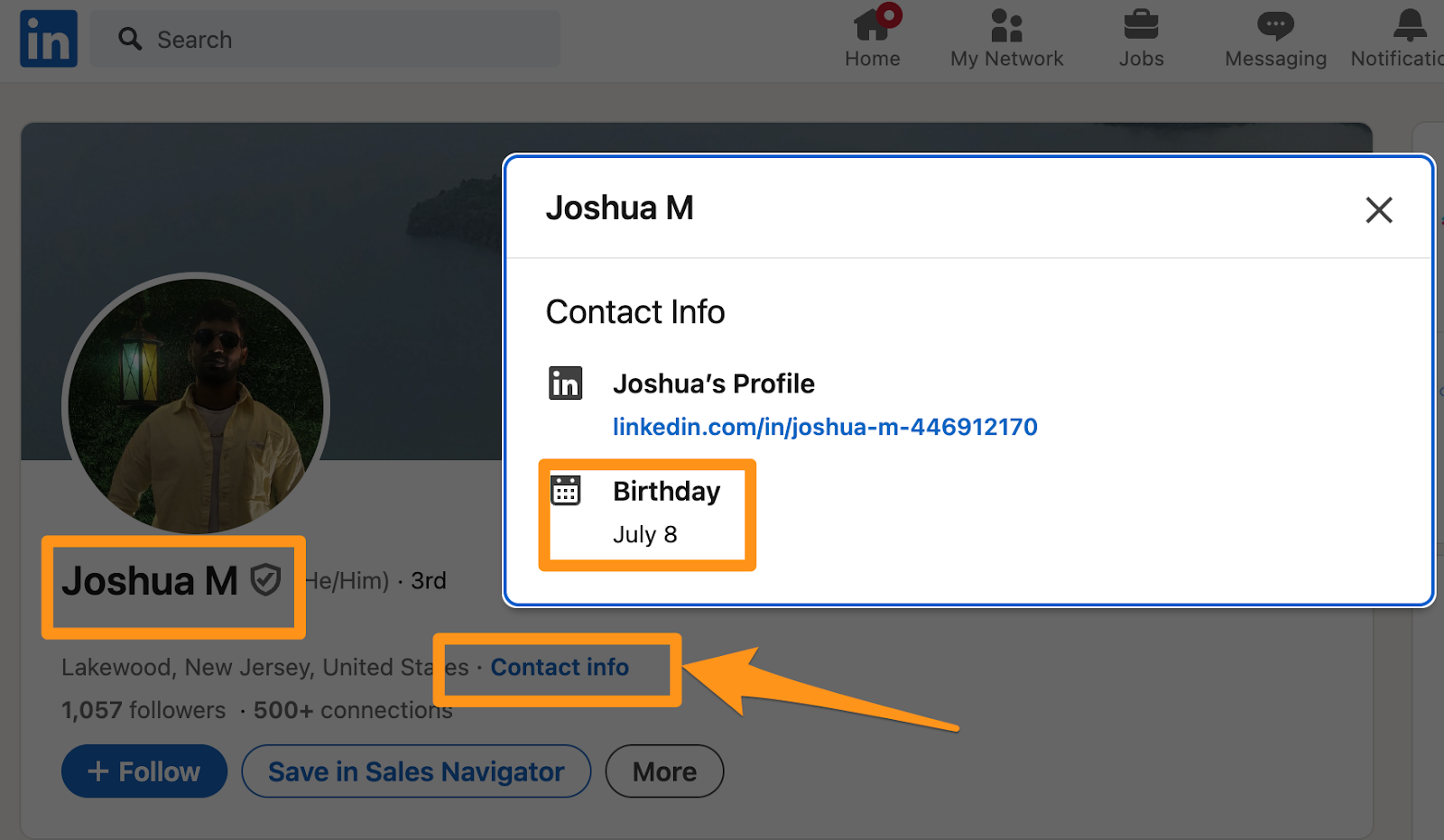
2 Contact Info
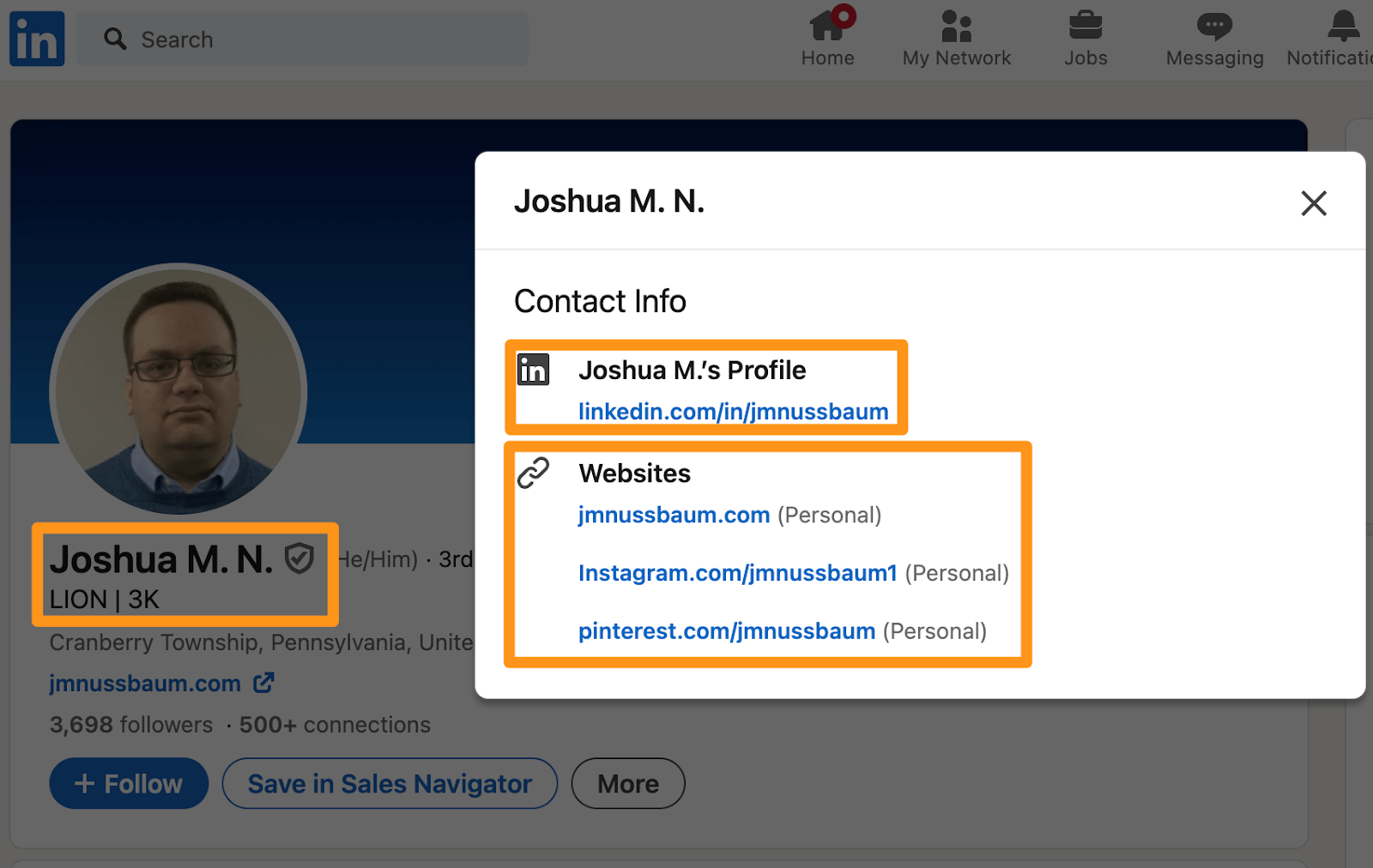
Every LinkedIn profile has a link to “Contact Info” underneath their name, which typically contains little information other than what is otherwise available on the profile. But in some cases, you can find an email address, date of birth, personal website link or handle on another social media platform, any of which you can use to pivot.
3 Credentials
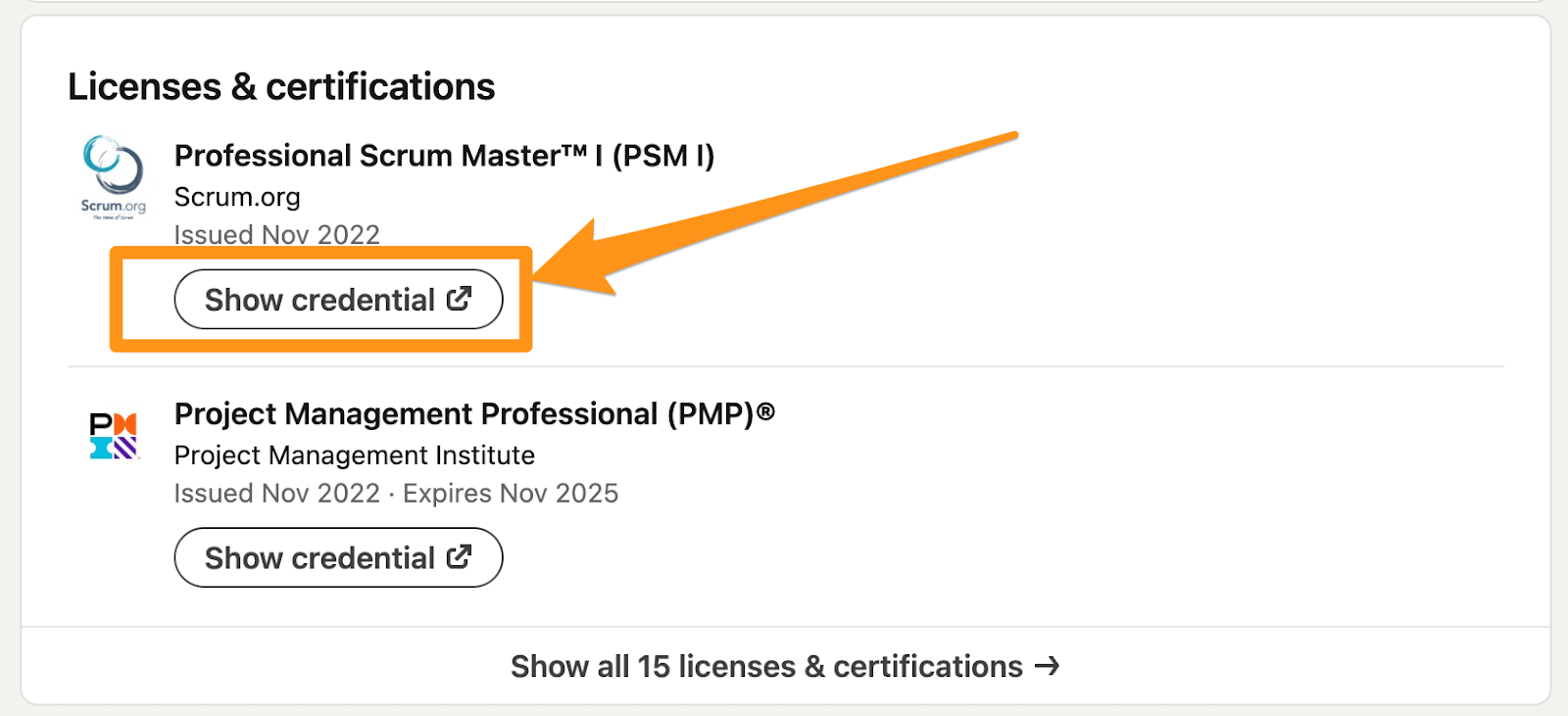
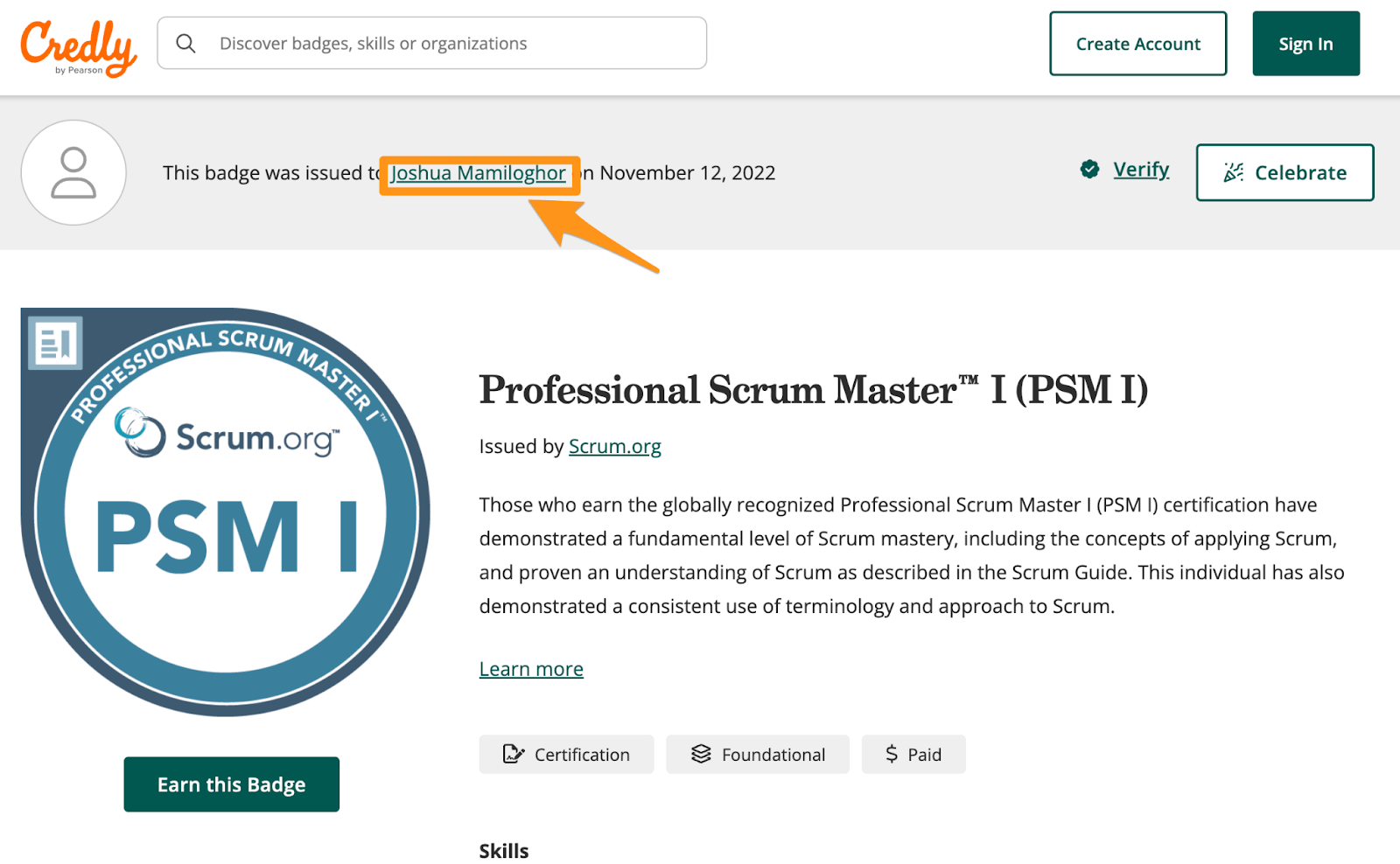
When the URL and contact info come up empty, a credential or professional license might be your answer. Since LinkedIn is a professional social networking platform, people often like displaying their credentials. More commonly, these credentials can be verified by simply clicking on the “Show credential” button, which brings you to a page that shows their full name.
Voilà!
In other cases, it requires some manual effort. For example, a licensed nurse, a lawyer or a doctor can be verified through the local, state or national board by simply checking their license status. This can be a bit hit or miss, though, since not all of these websites allow you to search by just a first name.

4 Creative Googling
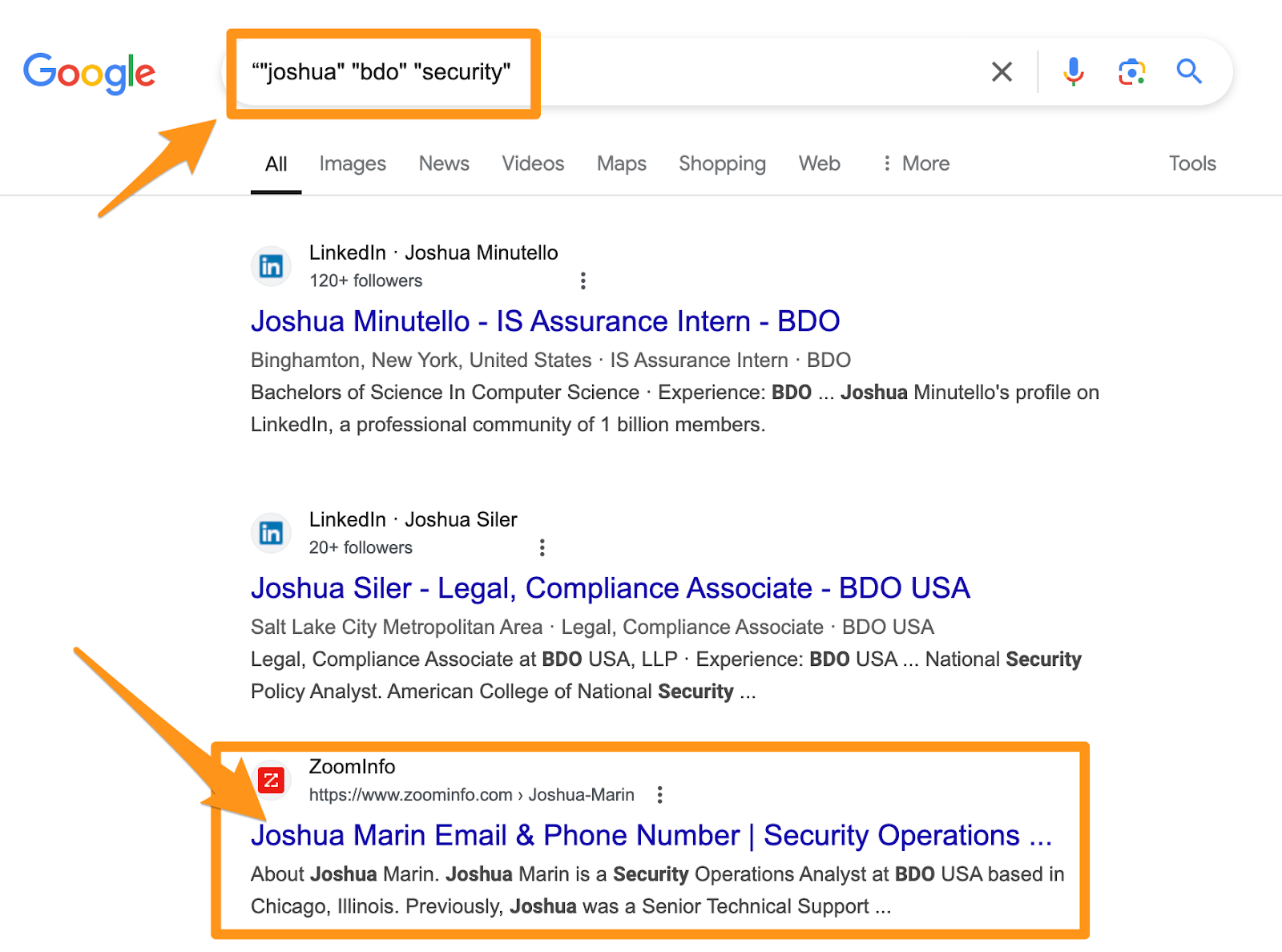
One of the best pivot points is finding unique data on a particular individual. So, even if you only have a person’s first name, like Joshua, but they went to Deep Springs College (the smallest higher education school in the United States) and you know their approximate age, you might get lucky with some googling. So, in this case, we have a guy who works in the security business, and with a not-so-creative but effective Google search, you may be able to identify another online profile for them.
5 Image Search
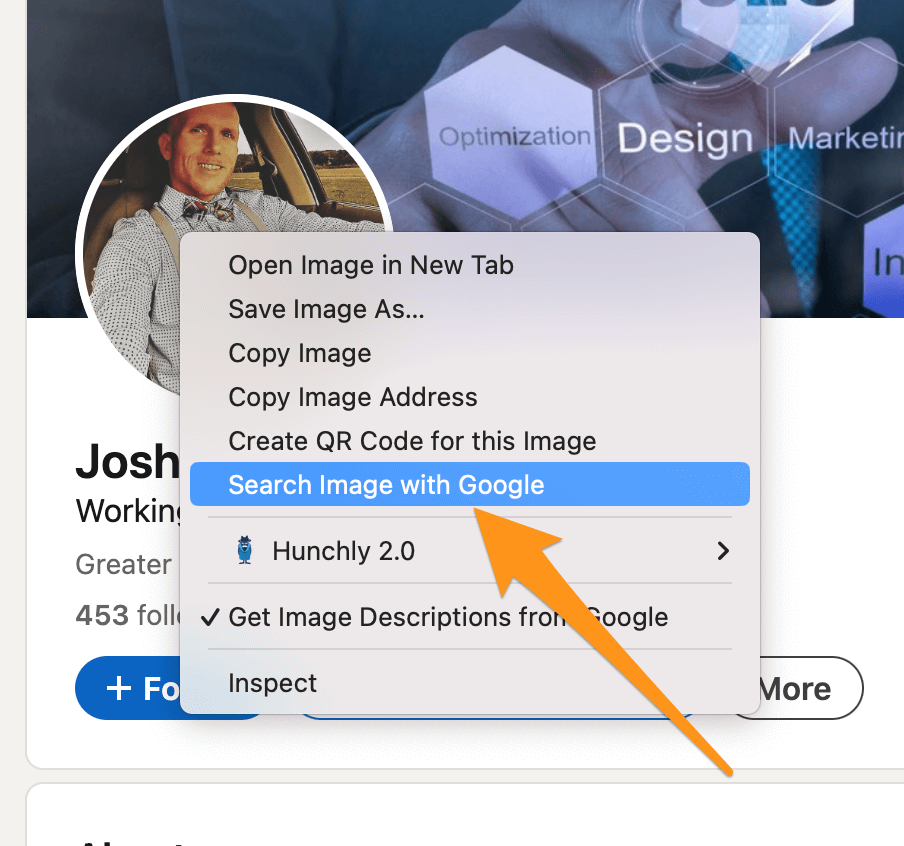
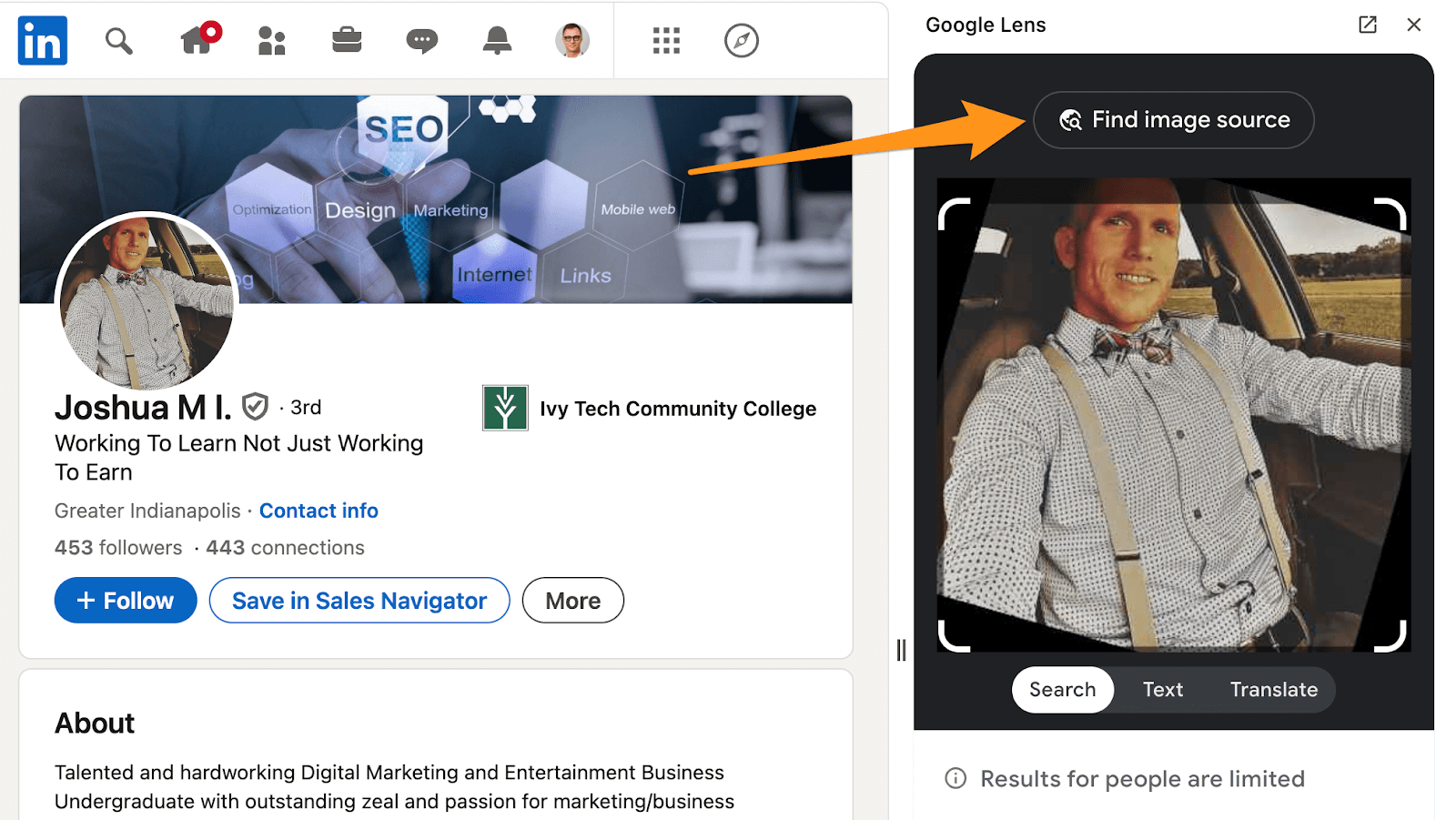
The image of the person can be a good source of leads. There may be some interesting detail in the photo, like a name tag or some unique item, that you can pivot from. You can use some commercially available facial recognition reverse image searches, like FaceCheck.ID or PimEyes. But you can also search the image in Google to see whether the photo has been used elsewhere. In this case, you can see that the user has a Pinterest account with the same exact photo and their full name.
Truth be told, Google image searches for people leave much to be desired. In fact, Google warns that “results for people are limited,” there are times when fortune may favor you.
6 Username
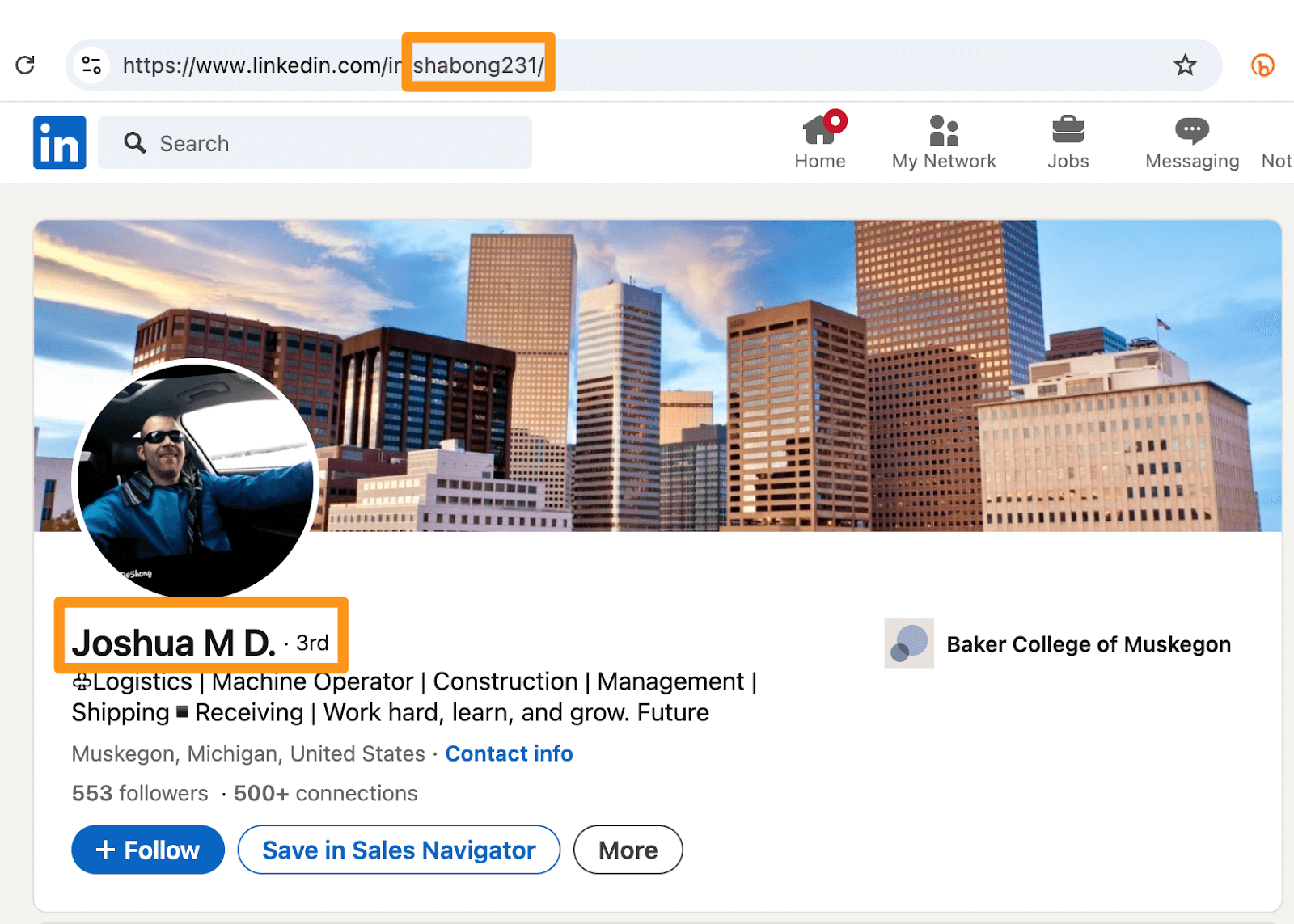
On many social media sites, people use their full name; on others, you will see users have a particular handle or username, like “babykitty1993.” LinkedIn users primarily use their real name in the URL.
Usernames are typically unique to a person and are often used across multiple platforms. So when you get a username, it’s usually gold. In this case, the user has a particular username in the URL, and by searching that username on WhatsMyName, which searches across hundreds of platforms, you can find other platforms where the user has an account. You can even take it a step further and use OSINT.Industries or Maltego and ShadowDragon to further vet the username on other social media sites.
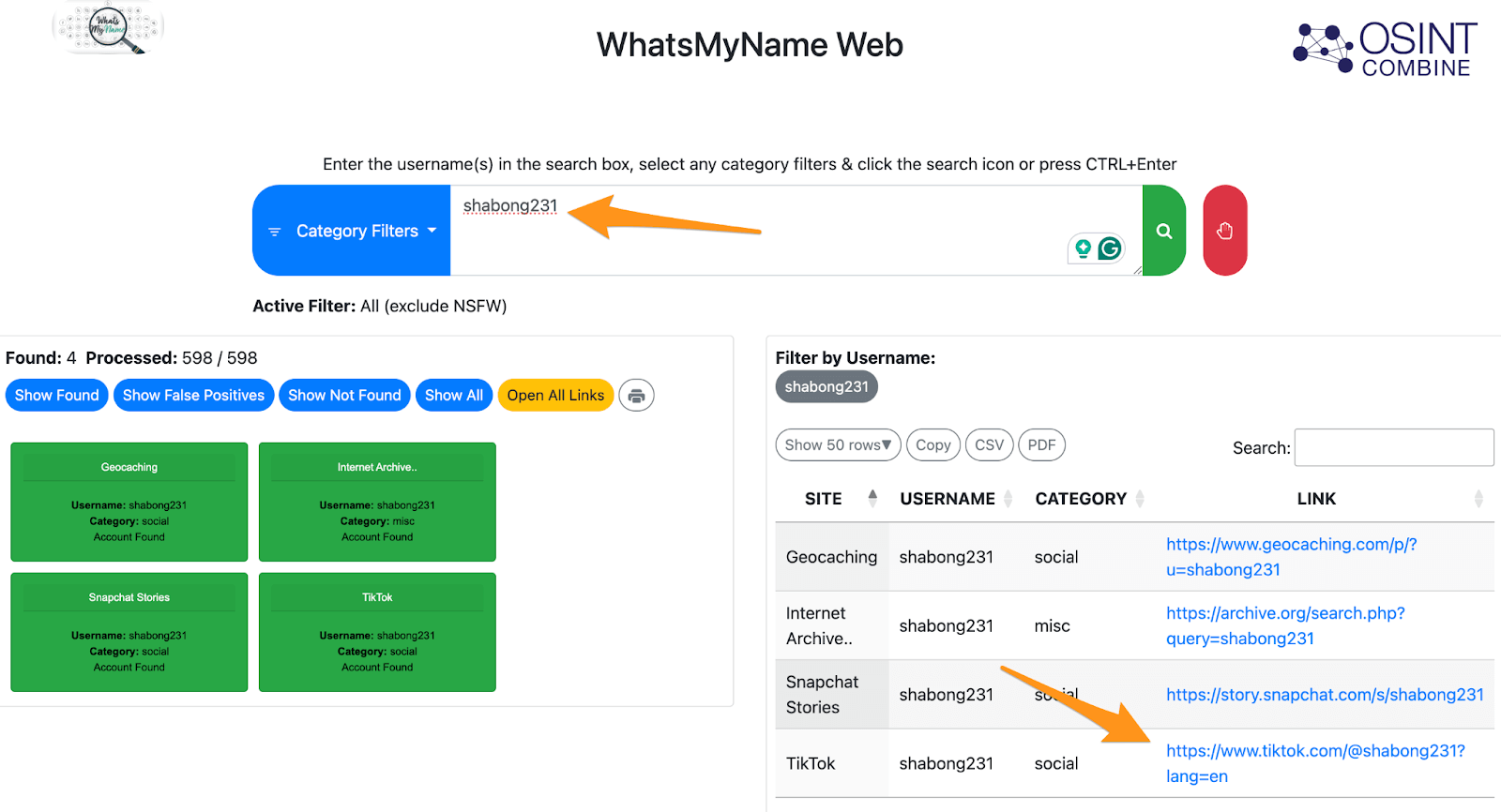
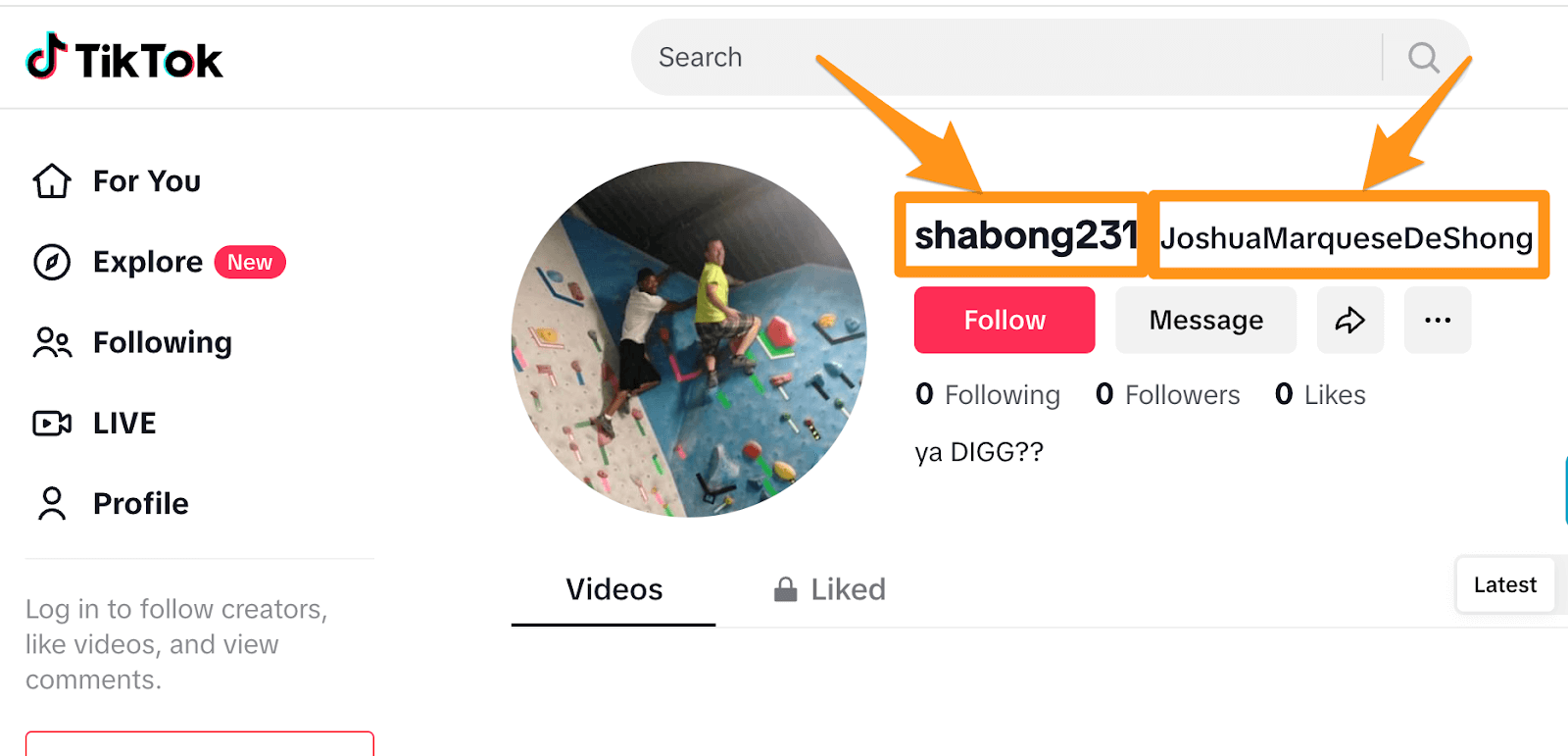


Screenshot from OSINT.Industries
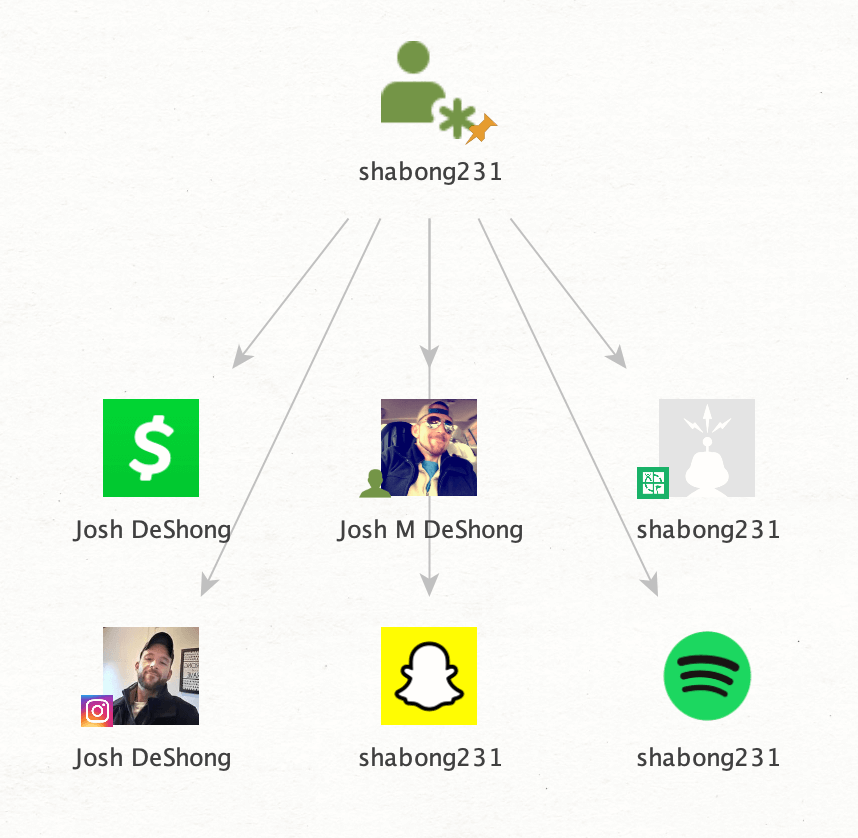
Screenshot from Maltego / ShadowDragon
Closing
There you have it. Six simple ways to unlock the full name from a LinkedIn profile.
While LinkedIn offers a layer of privacy by allowing users to display only partial names, there are several creative and effective methods for uncovering the full name behind the profile. Whether conducting research, seeking professional connections or satisfying your curiosity, these six techniques can provide the insights you need without needing to resort to more-invasive tactics.
Happy searching!







Some good info in article. Thanks!